

Top 5 ABA Practice Management Software in 2026 (Tested + Ranked)


If you’re trying to find the best ABA therapy practice management software, you’re in the right place.
This guide shares everything we learned from testing 5 top platforms, including how to choose one for your ABA practice.
5 best ABA practice management software for 2026
Note: Pricing is current as of November 2026, where available. Check out company websites for their current prices.
Why should you trust this review?
Our team at Passage Health has helped hundreds of ABA clinics simplify scheduling, billing, and compliance. We’ve seen firsthand what happens when the wrong software slows down billing or misses authorizations.
We tested every tool on this list using real ABA workflows. We’ve also combined feedback we’ve heard from our customers and read in user reviews.
1. Passage Health: The true all-in-one solution

What it does
Passage Health is an all-in-one EMR/EHR platform built for ABA therapy practices.
Unlike platforms that require multiple integrations, Passage Health combines clinical and practice management systems in a single platform.
Who it’s for
Growing ABA clinics and organizations looking to manage all workflows in one platform and have greater visibility into practice performance.
Key features
- Integrated claim submission: Therapists collect session data on the mobile app, and the session information is available in real-time in the billing product. Billing staff create accurate claims in bulk with just a few clicks.
- Payer intelligence and authorization tracking: The platform tracks authorization balances across clients and codes, with intelligent pacing metrics and flags when you're approaching limits.
- Team and credential management: Track your team’s certifications, availability, and timesheets in one place.
- Secure client data and documents: Store all client intake data (demographics, insurance, medical history, treatment plans) in one HIPAA-compliant location. Control who can view and edit documents.
- Automated reporting and analytics: Generate practice performance reports, track utilization rates, and visualize progress data without manual work or data export.
Pros
- Eliminates double data entry between clinical and billing systems
- Prevents claim denials by flagging payer compliance issues before you submit
- Simplifies supervision with real-time visibility across all sessions
- Reduces admin time with automated scheduling, timesheets, and credential tracking
- Offers responsive customer support with personalized onboarding
Cons
- Optimized for clinic-based ABA practices more than home-based or school-based
- Doesn't include payroll processing, though it tracks timesheets that can be exported
- Still developing some advanced enterprise-level reporting features
Pricing
Available by quote. Contact Passage Health for custom pricing for your clinic.
Bottom line
Switching between multiple systems costs you hours every week and creates billing gaps. Passage Health connects everything in one place, and you can set it up in a matter of days.
You'll reclaim enough admin time so your team can focus on care quality instead of paperwork.
2. CentralReach: Best for enterprise networks

What it does
CentralReach combines ABA practice operations, clinical documentation, and claims reporting into one system.
Who it’s for
ABA practices with multiple locations or large staff counts that need enterprise-grade reporting and customization.
Key features
- Integrated session-to-claims workflow: Session note data converts directly to billing entries for electronic claim submission.
- AI-powered scheduling: Automated scheduling optimizes staff assignments and service delivery across your organization.
- Advanced analytics dashboards: Business intelligence tools generate custom reports for practice performance, operations, and financial metrics.
- AI-powered revenue cycle management: Gain AI-powered billing services, plus paid access to RCM experts to manage your billing.
- Built-in training: Includes CEU courses and test prep for BCBAs and RBTs.
Pros
- Handles complex multi-location operations
- Revenue cycle management tools help practices stay compliant and audit-ready
- Includes ABA training content and certification programs
- Strong brand recognition in the industry with a comprehensive feature set
Cons
- Complex features have a steep learning curve
- Reliability issues with multiple outages reported over the past year
- Requires contract commitments, hard to switch if your needs change
- Higher pricing than newer platforms
Pricing
Uses a quote-based model (per-user or per-site), plus implementation fees.
Bottom line
CentralReach works well for established practices that already have standardized processes and need customization across multiple locations.
However, the system's complexity means you'll need dedicated time for staff training and ongoing support. Practices report outages and mobile app limitations that can slow daily workflows.
3. RethinkBH: Best for behavioral health practices that want smart scheduling

What it does
RethinkBH is a practice management and clinical care platform built for ABA, occupational, and speech therapy providers.
Who it’s for
Multi-disciplinary organizations looking for Electronic Visit Verification (EVV) and automated authorization management.
Key features
- Smart scheduling: The scheduling system automatically sends appointment reminders and matches client and staff availability to improve accuracy.
- Electronic Visit Verification (EVV): Stay compliant and verify clients are getting care with EVV tracking.
- Automated authorization tracking: Monitors insurance authorization balances, tracks utilization by therapist and practice, and sends alerts.
- Operational dashboards: Ready-made reports show progress tracking, outcome monitoring, and operational insights for leadership.
- Accurate payroll reporting: Sessions are matched with pay codes and tracked in real time, not scheduled time, for smooth billing.
Pros
- Supports multiple therapy disciplines (ABA, OT, speech)
- Authorization tracking catches expiring authorizations
- Custom reporting capabilities let you track what your practice needs
- Customer onboarding receives positive feedback
Cons
- Complex mobile app experience
- Performance issues that can disrupt daily workflows and data accuracy
- Some users complain that customer service is unresponsive
Pricing
Custom quote-based pricing.
Bottom line
RethinkBH works well for multi-disciplinary practices that need authorization tracking and EVV. The platform provides operational reporting and visibility into staff productivity.
If you need more reliable system performance and a simpler mobile for staff, newer platforms are a better fit.
4. Artemis ABA: Best for AI workflow automation
What it does
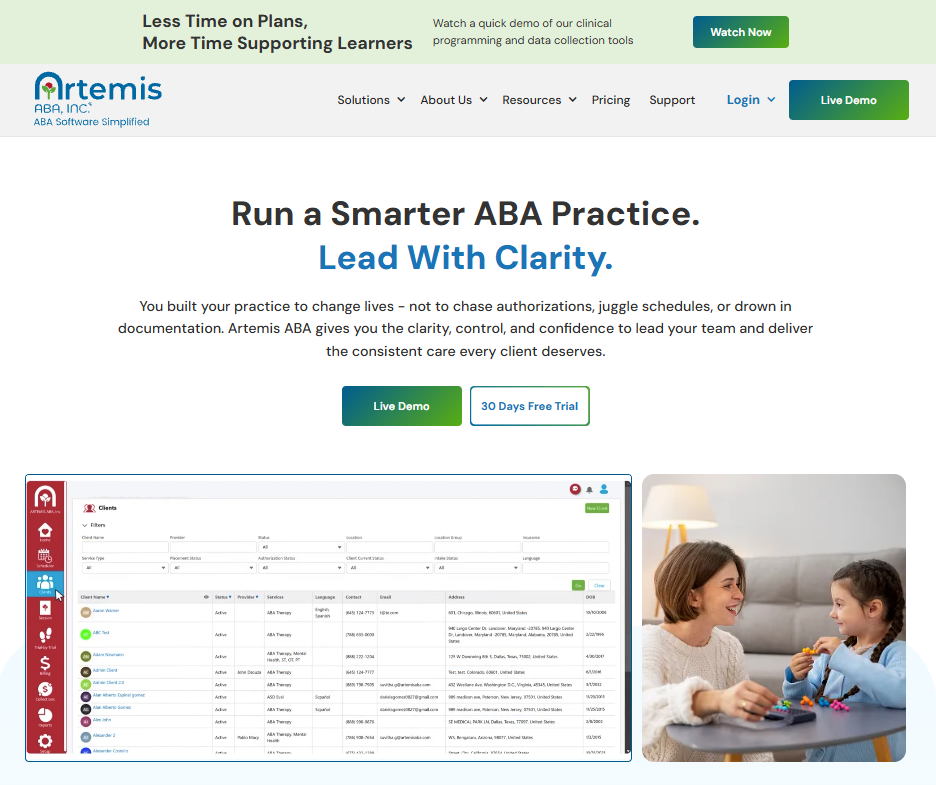
Artemis ABA handles practice operations through a Salesforce-built platform with AI automation.
Who it’s for
Growing ABA practices with high session volumes that want to automate repetitive manual tasks.
Key features
- AI-driven scheduling: Automated scheduling assigns therapists to sessions based on availability, credentials, and client needs.
- Real-time eligibility and authorization checks: Offers automated insurance verification before submissions.
- Teletherapy service delivery: You can schedule remote sessions with secure access and documentation.
- AI-powered denial management tools: The platform helps reduce billing errors and find and resolve denials.
Pros
- Reduces administrative workload through AI automations
- Transparent pricing with a free trial available
- Built on Salesforce Cloud infrastructure, which provides enterprise-grade security
- Suitable for practices delivering both in-person and telehealth ABA services
Cons
- Requires integration with external partners for certain features
- Some users report that people who aren’t tech-savvy will have difficulty learning the platform
Pricing
$39.99 per user per month for the Emerging tier, with a 30-day free trial available. Custom pricing for the Enterprise tier.
Bottom line
Artemis ABA is a good fit for practices with high session volumes that can be automated. The platform offers enterprise-level security and telehealth for remote services.
Staff who aren’t familiar will need a longer time to learn the platform compared to other solutions. Customer feedback and reviews are scarce, so proven systems offer more confidence.
5. AlohaABA: Best for practices using separate clinical collection tools

What it does
AlohaABA provides practice management tools for scheduling, billing, and payroll operations. It integrates with external partners like HiRasmus and Motivity for data collection and documentation (with AlohaABA data collection currently in development).
Who it’s for
Small to mid-sized ABA practices that are cost-sensitive and already use or prefer dedicated clinical tools.
Key features
- Flexible scheduling: Choose from multiple schedule formats and easily track staff and client availability
- Billing and accounts receivable tracking: Manage your revenue cycle with ways to track payment status and outstanding receivables.
- Payroll integration: Manage HR and payroll by exporting data to your payroll processing software.
- Visual analytics dashboards: View practice performance metrics like session volume, billing status, and staff productivity.
- Integration with clinical solutions: Connects with HiRasmus, Motivity, and Ensora Health to sync clinical data.
Pros
- Affordable entry pricing makes it accessible
- Includes payroll functionality, unlike some other platforms
- Integrates with popular clinical tools (if you want to keep your data collection software)
Cons
- Users describe the platform as hard to use, requiring more time
- Synchronization issues cause missing session notes and payroll errors
- Requires managing multiple logins to use with a clinical tool
Pricing
Starts at $29.99 per staff member per month.
Bottom line
AlohaABA works for practices that want to keep their existing clinical data collection tools and add practice management.
However, the integration approach creates significant workflow problems, like double data entry and synchronization issues. If you need a more intuitive interface, a unified platform will save significant time.
5 features to look out for when choosing your ABA practice management software
We know migrating to a new system is a huge time and resource commitment. Here’s what to check for before you make the switch.
1. Smart scheduling with authorization controls
Scheduling is where most ABA operations either thrive or break down. Missed authorizations or overbooked hours directly lead to denied claims and lost revenue.
Look for:
- A system that connects your scheduling directly to authorizations and payor rules
- Alerts when therapists exceed authorized hours or when authorizations are about to expire
- The ability to see all staff availability and session conflicts in one view
How to test it: Try to book sessions that exceed authorization limits and see if the software stops you.
2. Mobile data collection that works in the field
A chief complaint we heard while reviewing platforms was issues with the mobile app. This includes problems with syncing and session data loss.
Look for:
- Native mobile apps (not just mobile browsers) with offline mode
- Auto-syncing once the therapist reconnects to Wi-Fi or data
- Ability to enter notes, collect signatures, and log session data without lag
- Secure data storage (HIPAA-compliant) with encrypted uploads
How to test it: Have a therapist run a mock session offline. Can they still record behavior data, prompts, and parent signatures? When reconnected, does everything upload correctly? Ask how the app handles poor network areas.
3. Integrated billing and claims scrubbing
Even small billing mistakes, like incorrect billing codes or modifiers and missing signatures, can cause denials or payment delays. Choose a system that catches these errors before you submit.
Look for:
- Built-in billing (not a third-party integration) that connects directly to notes and attendance
- Real-time error checks for missing data, invalid codes, or expired authorizations
- Reporting that shows claim status, denial reasons, and trends over time
How to test it:
Run a test billing cycle with real claims. Note how many rejections or “fix-and-resubmit” errors you get. If the tool flags errors early, it will save time once live.
Ask for sample clearinghouse connections and confirm that the platform supports your state Medicaid system and top payors.
4. Customizable reporting and outcome dashboards
Without good analytics, you can’t track outcomes or therapist productivity, and may even be stuck creating manual reports.
Look for:
- Dashboards that show client progress in visual charts and graphs
- Export options for funding sources and compliance audits
- Historical tracking so you can prove progress for authorizations and renewals
How to test it: Try to pull a report that answers a real question like: “Which clients are close to maxing out their hours?” or “Which therapists have the highest session cancellations?” If it takes more than a few clicks or requires exporting to Excel, then it may not be your best bet.
5. Reliable support and implementation partnership
Even the best software fails if your team can’t get help when they need it.
Look for:
- Dedicated onboarding support to guide you through setup and data migration
- Weekly or biweekly check-ins until you go live
- Quick support response times
- Knowledge base, video tutorials, and live chat availability
How to test it:
Submit a real support request during your trial. Note how long it takes to get an answer and whether it actually solves your issue.
What is the right ABA practice management software for your team?
Choose Passage Health if you:
Want a true all-in-one system that unifies scheduling, billing, documentation, and reporting without juggling integrations. Our platform offers intuitive design and is built for teams that value reliable mobile app performance and proactive support.
Choose CentralReach if you:
You are a large multi-location practice that needs extensive customization and built-in training programs, and you have IT resources to manage a complex system.
Choose RethinkBH if you:
Need to manage multiple therapy disciplines with strong scheduling and authorization tracking. However, expect system performance issues and a complex mobile app that can slow down daily workflows.
Choose Artemis ABA if:
Automation for workflows is your top priority. The platform offers eligibility checks and scheduling, though staff will need time to learn the automation features. Artemis ABA is still expanding its feature set beyond scheduling.
Choose AlohaABA if you:
Want to keep your existing clinical data collection system and need basic practice management at a lower price point. But be prepared for integration headaches and platform navigation issues.
The final verdict
Passage Health stands out because session data from the mobile app automatically populates in claims without re-entry. Our platform prevents denials by flagging authorization limits and payer compliance issues before your team submits. We’re proud to say our customers love the platform because it simplifies scheduling, billing, and claims management.
Get started with Passage Health
Book a demo today and see how Passage Health can simplify your practice operations, so your team can focus on what matters most: client progress.
Frequently asked questions
What is the best ABA practice management software for small clinics?
The best ABA practice management software for small to mid-sized clinics is AlohaABA, which offers affordable scheduling, billing, and payroll in one place. However, it requires integration with separate clinical tools like HiRasmus or Motivity, which can create synchronization issues as you grow.
How does practice management software support ABA billing?
Practice management tools support ABA billing by linking session data directly to payer rules. They help you apply the right codes, modifiers, and authorization limits to reduce manual work and claim denials.
Can ABA practice management software track clinical data and outcomes?
Yes, ABA practice management software includes clinical dashboards that track skill acquisition, behavior progress, and session outcomes. Different systems have varied clinical tracking capabilities.
How much does ABA practice management software cost?
ABA practice management software pricing varies based on features and scale. Budget-friendly tools like AlohaABA start around $29 per staff per month, while others use custom pricing based on users, modules, and billing volume.
Is ABA software HIPAA compliant?
Yes, reputable ABA software is fully HIPAA compliant. They’re designed with encrypted data storage and user access controls to keep client information secure. Always confirm specific security certifications when you’re evaluating platforms.
